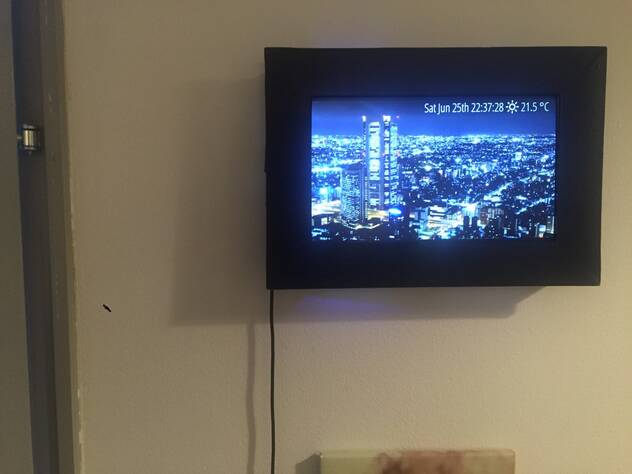
I have always wanted to make a custom digital picture/multimedia frame showing things like beautiful earth porn videos from YouTube. For this you need a computer, like a Raspberry PI and an LCD monitor.
LCD monitors can be bought on ebay but they get a bit pricey if you want a bit of size (10"+), and you often need custom HDMI controllers for them. I had a couple of old EEEPCs lying around, and I figured an EEEPC would be a good fit. It has everything you need. Big slim LCD screen, slim motherboard, integrated WIFI and will boot off an SD card, and it's environmentally friendly to recycle old stuff.
I made an HTML/js script that plays a youtube playlist randomly in fullscreen with an embedded player. Running chromium under incognito solves some problems, like preventing some caching and preventing crash message when not closed properly. Safebrowring causes periodic download of large files, which we do not want. --kiosk causes fullscreen.
Hardware
Rip apart EEE PC and extract mainboard + LCD (well obviously don't rip, but screw apart)
Careful with WIFI antenna, LCD cable and flatcables connected to the motherboard
Disconnect anything that is not needed. (camera, touchpad, keyboard, ++)
Solder a couple of wires with a push-button onto the existing power button pins.
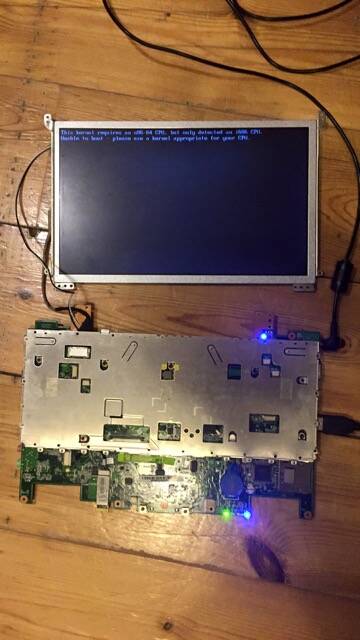
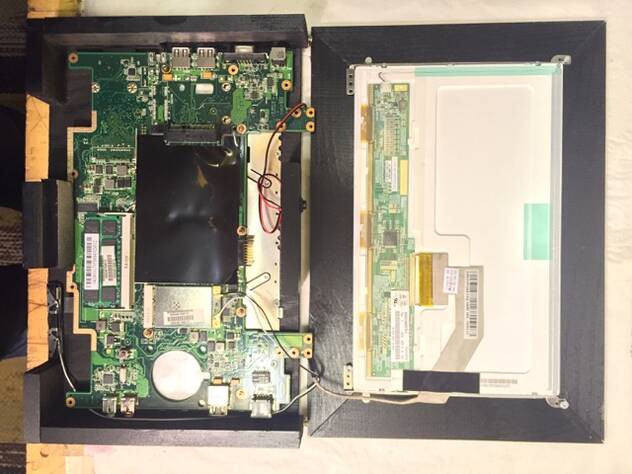
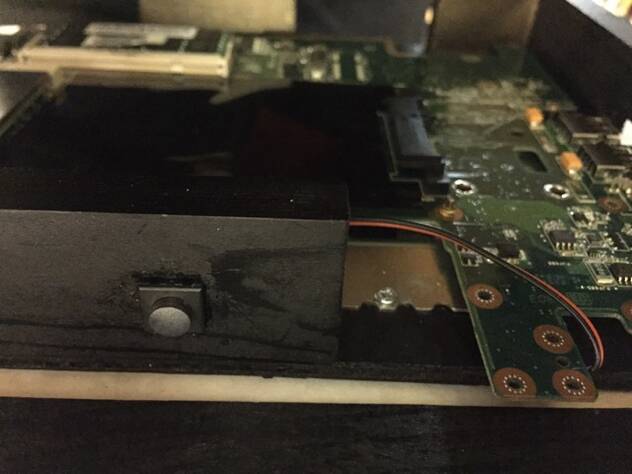
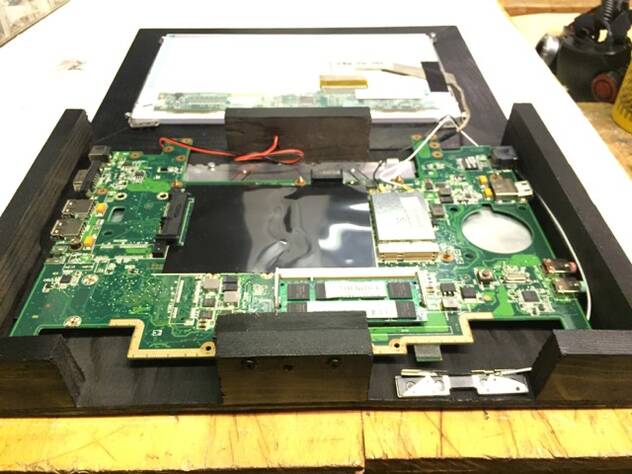
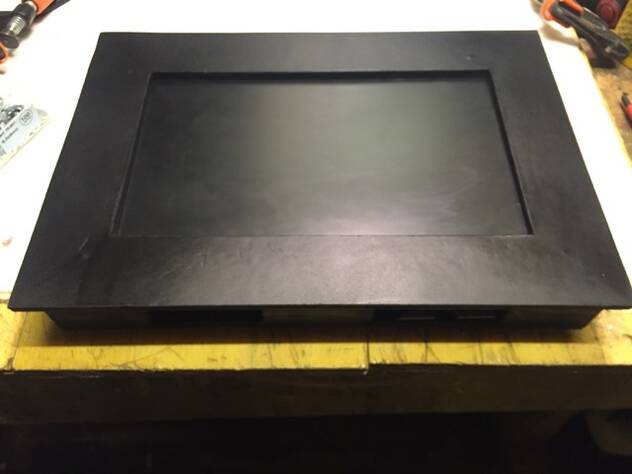
I built a wooden case for my frame which holds the motherboard towards the back wood plate with some screws, keeping the heatsink metal plate that sat behind the keyboard in the Eee. The screen is screwed into the front frame which is fastened to the wooden supports on the sides.
I left big gaps in top & bottom in order to get air circulation, because I have removed the fan so there will be no active cooling.
Software
Installed Ubuntu 14.04 (x86) on an SD card (using a Live USB created by UNetbootin)
During install add user admin, and ensure auto login is selected.
I set CPU to powersaving to keep the temp down, because I have no active cooling anymore. And disabled bluetooth (rfkill 1). Add the following to /etc/rc.local:
echo powersave > /sys/devices/system/cpu/cpu1/cpufreq/scaling_governor
echo powersave > /sys/devices/system/cpu/cpu0/cpufreq/scaling_governor
echo 0 > /sys/class/rfkill/rfkill1/state
su - admin -c 'cd /home/admin && nodejs . &> /dev/null &'
Ubuntu's default ondemand boot script overrides our setting. Disable it. Run as root:
update-rc.d ondemand disable
apt-get install openssh-server chromium-browser nodejs npm iptables-persistent
iptables -A PREROUTING -t nat -i wlan0 -p tcp --dport 80 -j REDIRECT --to-port 8080
In /etc/fstab, append option noatime to root partition.
In /etc/default/apport, set enabled=0
Set power button action to shutdown (prevents showing a dialog.) Run as root:
sudo su - admin
DISPLAY=:0 gsettings set org.gnome.settings-daemon.plugins.power button-power shutdown
gconftool -s --type bool /apps/update-notifier/auto_launch false
mkdir .ssh
On your main computer:
scp ~/.ssh/id_rsa.pub admin@IP_OF_EEEPC:.ssh/authorized_keys
git clone https://github.com/mifi/digital-media-frame.git
cd digital-media-frame.git
./deploy.sh admin@IP_OF_EEEPC
On eeepc, run as root:
sudo su - admin
npm install
GUI settings
System Settings -> Brightness & Lock
Disable Dim Screen
Turn off screen: Never
Lock: Off
Disable Require password when waking from suspend
Under Startup Applications add
nodejs /home/admin/runner_script/index.js
Under Startup Applicationsadd
xrandr --display :0 --output LVDS1 --rotate inverted
Commands for checking health
cat /sys/class/thermal/thermal_zone0/temp
hddtemp /dev/sda
# Check for processes doing lots of IO:
iotop -P -a -o
# Check for processes using files (SD wear):
fatrace | grep 'W'
Demo
TODO
- disable browser updates
- ubuntu disable compiz
- chrome screen tearing
Inspiration/references
https://github.com/mifi/digital-media-frame
http://awooga.nl/the-eee-pc-digital-picture-frame
http://unix.stackexchange.com/questions/86875/determining-specific-file-responsible-for-high-i-o
http://ubuntuhandbook.org/index.php/2014/11/install-real-ubuntu-os-usb-drive/
http://raspberrypi.stackexchange.com/questions/169/how-can-i-extend-the-life-of-my-sd-card
